Folder Marker Free 4.9.1.0 | (multi-rus)
![[Цитировать]](./styles/templates/default/images/lang/ru/icon_quote.gif "Ответить с цитатой")
Folder Marker Free 4.9.1.0 | (multi-rus)
Folder Marker Free 4.9.1.0 -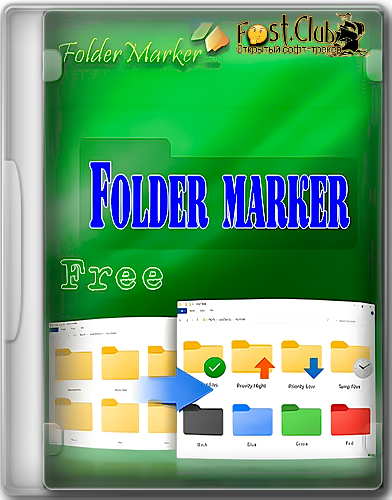 Версия программы: 4.9.1.0
Официальный сайт: FolderMarker
Язык интерфейса: Русский, Английский, другие
Лечение: не требуется
Системные требования:
Описание:
Folder Marker – ваш незаменимый помощник для организации и визуализации рабочего пространства. Забудьте о хаосе в папках! С Folder Marker вы можете мгновенно маркировать любые папки по приоритету (высокий, нормальный, низкий), степени завершения задачи (сделано, наполовину, запланировано) или типу содержимого (рабочие, важные, временные, личные). Процесс невероятно прост: просто кликните правой кнопкой мыши по нужной папке, выберите желаемую иконку из выпадающего меню, и ваша папка будет выделена цветом, мгновенно информируя вас о ее содержимом или статусе. Это просто, удобно и очень эффективно!
Скриншоты:


Версия программы: 4.9.1.0Официальный сайт: FolderMarker
Язык интерфейса: Русский, Английский, другие
Лечение: не требуется
Системные требования:
- Windows 11 / 10 / 8.1 / 8 / 7 (32|64-bit)
Описание:
Folder Marker – ваш незаменимый помощник для организации и визуализации рабочего пространства. Забудьте о хаосе в папках! С Folder Marker вы можете мгновенно маркировать любые папки по приоритету (высокий, нормальный, низкий), степени завершения задачи (сделано, наполовину, запланировано) или типу содержимого (рабочие, важные, временные, личные). Процесс невероятно прост: просто кликните правой кнопкой мыши по нужной папке, выберите желаемую иконку из выпадающего меню, и ваша папка будет выделена цветом, мгновенно информируя вас о ее содержимом или статусе. Это просто, удобно и очень эффективно!
Особенности программы:
- Folder Marker может изменить иконку папки одним кликом мыши
- Folder Marker может отмечать папки по приоритету (высокий, нормальный, низкий); по степени выполненной работы (выполнено, наполовину готово, запланировано) и по типу информация, содержащейся в папке (рабочие файлы, важно) файлы, временные файлы, приватные файлы).
- Folder Marker может настраивать цвет папки
- Folder Marker настраивает иконки папок из всплывающего меню папок. Чтобы подписать папку, даже не нужно запускать программу!
- Folder Marker имеет вкладку иконок пользователя. Добавьте до 10 ваших любимых иконок, чтобы они всегда были под рукой. Это просто!
- Маркер для папок может работать с несколькими Папки сразу
- Folder Marker может назначать иконку в папку из: файла ICO, ICL, EXE, DLL, CPL или BMP
- Folder Marker поддерживает 32-битные иконки
а также: - Folder Marker может настраивать иконки ВСЕХ папок в вашей системе. Вот это это любимая особенность любителей кастомизации. Избавься от монотонности! Сделайте свои папки уникальными!
Изменения в версии:
- Release notes-Legend:
+ Added feature
* Improved/changed feature
- Bug fixed
Version 4.9.1.0 (October 9, 2025)
- Bug Fixed: The free version of the program froze after applying the icon through the main window of the program.
- Bug Fixed: The Update window lacked information on whether the update was free when the notification appeared automatically.
* Italian translation was updated.
* The Mark Folder menu of the second level in the Free edition now has the same items as the menu of the first level on Windows 11.
* The update tracking mechanism has been adjusted.
* After the trial period ends, a delay is added to the nag screen now.
* Other small visual tweaks.
Version 4.9.0.0 (July 15, 2025)
+ For Windows 11, the right-click menu of the first level has been added (not editable now). Now there is no need to click “Show more options” to see the Folder Marker menu.
+ Folder Marker is now more integrated with Folder Creator. You can launch Folder Creator right from the Folder Marker window and return with the new icons.
+ The update module has been added to Folder Marker. Starting from version 4.9, updating to the latest version requires just one click. There is no need to download or install the software; Folder Marker will do it for you in the background.
* Folder Marker now marks only new subfolders if some already have the required icon. For example, you want a whole tree to have an icon, and out of 1000 subfolders, only 20 new ones need marking—simply select the main folder, check the box "Apply Selected Icon to All Subfolders," and Folder Marker will automatically mark only the unmarked subfolders. As a result, the program's performance in this specific scenario has increased tenfold.
* Folder Marker has been tested on computers with ARM processors. Previously, the program might not have worked on some machines.
* The design of the Nag Screen, Prolong My License, and Update windows has been updated. Now it is modernized and optimized for hiDPI screens.
* The icons on the Main form are replaced with their vector analogs.
* After entering the registration key, the program is restarted automatically. The use of the paid version is now a bit more convenient.
* The size of the icons on the main screen now adjusts to the DPI rate of your monitor. If you have a hiDPI monitor, the size of the icons will automatically increase at the first launch.
* Now the language of the interface is set automatically to the language that is active in your system during the first run. So non-English users will see their native language right from the first start.
* New interface translation has been added: Bengali. Dutch, Filipino, Indonesian, Polish, Swedish, Ukrainian and Vietnamese translations have been updated.
- Bug Fixed: The icons, made in Folder Creator, disappeared from the right-click menu after customization.
- Bug Fixed: If the folder name has some Chinese symbols, the customization was not possible through the right-click menu
- Bug Fixed: Memory leak during the customization of the network folders through the command line prompt.
- Bug Fixed: The PowerShell request was sent even if the user doesn’t work with .heic or .heif files.
- Bug Fixed: Rare "Access is denied" error during folder change on the desktop.
- Bug Fixed: Deleting JPG/PNG files from the PC after adding them to the application caused the icons to disappear from the User Icons tab.
- Bug Fixed: “"" is not a valid integer value” error occurs if the icon was added to the User Icons tab from a folder with a comma in the name.
* Other small visual tweaks and bug fixes.
Version 4.8.1.0 (July 7, 2024)
- Bug Fixed: The program displays an error when trying to show information regarding news.
Скриншоты:


Вы не можете начинать темы
Вы не можете отвечать на сообщения Вы не можете редактировать свои сообщения Вы не можете удалять свои сообщения Вы не можете голосовать в опросах Вы не можете прикреплять файлы к сообщениям Вы не можете скачивать файлы |